Affichage des articles dont le libellé est marshmallow. Afficher tous les articles

mercredi 25 mai 2016

review Nexus 6P

Nexus 6P review

PROS

  • Looks the business
  • Impressive camera, even in low-light
  • Fast performance
  • Not super expensive

CONS

  • USB-C might annoy until more common
  • HDR processing could be quicker

KEY FEATURES

  • 5.7-inch, quad-HD display
  • Snapdragon 810 processor
  • 3GB RAM
  • 32GB/64GB/128GB internal storage
  • Android 6.0 Marshmallow
  • USB-C
  • 3,450 mAh battery with rapid charging
  • Gorilla Glass 4
  • Manufacturer: Google

NEXUS 6P – LONG TERM REVIEW

The Nexus 6P was the first phone I ever scored a perfect 5/5, and at the time I said it was the best Android phone you could buy. It’s about 7 months later now, and I’m still confident in saying this is one of the best phones out there. Yes, the Samsung Galaxy S7 and HTC 10 scored 5/5 and 4.5/5 respectively and are both great phones, but if you’re looking for something with a bigger screen I would still highly recommend Google and Huawei’s 6P.
The Snapdragon 810 and 3GB RAM is still a fine combination and it makes for a fast phone. While the Nexus 5X seems to have suffered some performance issues, the 6P is as smooth and quick as it was on day one.
There have been a couple of updates to the camera – it’s much faster now – and you’ve of course got Android N (which we’ll hear more about at Google I/O) coming at some point towards the end of the year.
My one quibble about the longevity of the Nexus 6P comes with its build. I’ve been using a silver model and it’s fine, but I have seen a couple of black models with much of the back paint coming off. This leaves an ugly finish, and not something you’d expect from a pricey phone.
That aside, everything else still gets the thumbs up. The screen is great, camera reliable and the battery will easily make it through the day. It struggles to go two days though, but then so do most phones of this size.
I noted in my original review that USB-C was something of an annoyance simply because it wasn’t widely adopted but I feel that issue has subsided somewhat. A lot of the 2016 flagships have USB-C – LG G5, Huawei P9 and HTC 10 – and it’s becoming more and more common in laptops too.

NEXUS 6P – LONG TERM VERDICT

I still love the Nexus 6P. It’s easily the best phone Google and Huawei have ever made and it seems to stand the test of time very well. Considering Google often has it on special offer, it can be even more of a bargain.
Read my original review below...

WHAT IS THE NEXUS 6P?

The Nexus 6P is the follow up to the poor Nexus 6 and the second pure Android device we’ve seen from Google this year after the mostly impressive Nexus 5X. It's made by Huawei, and it's fantastic.
It’s the first Nexus that doesn’t make any compromises and offers buyers a stunning metal design, high-end specs and an unadulterated version of Android. It's pricier than the 5X, but it's clear to see where the extra money has gone.
Armed with these perks the Nexus 6P impresses in every area and is, along with the Samsung Galaxy S7, the best high end Android smartphone you can buy right now.

NEXUS 6P – DESIGN

Apparently the ‘P’ in the 6P stands for ‘premium’. Premium is a word overused in reviews but, as much as I hate it, it’s the best way to describe the overall design of the Nexus 6P.
And, that shouldn’t really be a surprise. Even though Huawei’s own phones always fall down due to overbearing software, the Chinese firm has been excelling in design for a while now. This year’s Mate S being the best yet.
6p 1
Just like the Mate S, the Nexus 6P has an all metal design, with heavily chamfered edges leading into a Gorilla Glass 4 coated display. The antenna bands are cleverly hidden, while the flat sides and ever so slightly curved back make it a thing of pleasure to hold.
Along the sides you’ve got a well placed standby button just above a nice, clicky volume rocker. That power button is slightly textured, so you can easily jump straight to it. This is a small touch, but the details are important.
Flip the phone over and the Nexus branding is stencilled in vertically with the circular fingerprint scanner sitting just above. Google is calling this Nexus Imprint – I’m not sure why it needs a name – and it’s up there with the iPhone 6S and Xperia Z5 in terms of speed.
6p 2
I’m a big fan of the fingerprint reader being on the back. It’s the natural place my finger reaches for when I pick the phone up and it takes just a slight touch to zip past the lockscreen and plonk you right on the homescreen. Pair it with the super fast set-up process – it takes about 20-seconds, whereas the iPhone can take over a minute – and Marshmallow's baked in fingerprint scanner support and you’ve got a fantastic security package.
Now, if there’s one Nexus 6P design choice that’s caused a bit of a stir since the leaked images first hit the interwebs it’s the glass covered hump running across the top.
This houses the camera, flash plus a bevy of sensors. Others might disagree, but I like it. Unlike the smaller humps on the iPhone 6S or Galaxy S6, having it across the whole width means it doesn’t wobble when I use the phone on a table and the periscope-like design is nicely eye-catching.
It’s far from the ugly, eyesore some refer to it as, and if it makes the camera better then I’m even more for it. But, if you’re still against it, I would suggest grabbing the black model as it hides it better than the white or silver versions.
6p 8
With a 5.7-inch screen, the Nexus 6P is a big phone. But, phones in general are getting bigger and it doesn’t feel anywhere near as cumbersome as the Nexus 6. It’s slimmer and lacks the monstrous width that ruined the 2014 Nexus.
Thanks to the almost non-existent side bezels the whole phone isn’t much bigger than the 5.4-inch screen toting Blackberry Priv and it’s slightly smaller than the 5.5-inch iPhone 6S Plus.
It could be smaller too, but Google and Huawei decided to have dual front-facing stereo speakers flank the display. Again, they made the right choice. Proper sounding speakers are always better than a few weedy holes on the back.
My only criticism about the Nexus 6P, and this is ridiculously minor, is I would prefer the headphone jack to be on the bottom, rather than on the top.
This is by far and away the best looking Nexus yet, and its use of metal, glass and eye-catching design choices put it right up there with Samsung’s Note 5 and Apple’s iPhone 6S when it comes to visual allure.
6p 6

NEXUS 6P – DISPLAY

The Nexus 6P's 5.7-inch display features a Samsung AMOLED panel, with a pixel-dense quad-HD resolution and boy, is it good.
While the Nexus 6 suffered with poor viewing angles and whites that almost looked pink, the screen on the 6P is rich in accurate colours and has nicely inky blacks. As it’s AMOLED, whites can look a little muddy but really, come on, that’s a small sacrifice I can live with.
Colours have a vivid punch – blues, reds and oranges pop out, but they’re still accurately shown, while the green shades in Marshmallow’s stock wallpaper look exceptional. Some might say they’re too saturated, but I’d disagree, especially when you compare it to those truly over-saturated panels Samsung used a couple of years ago.
6p 13
If you prefer things a little more toned down, Google has sneakily added an sRGB display mode deep inside the Settings menu. It cools the colours down a bit, but I prefer the original mode.
Viewing angles are fantastic, as is outdoor visibility. I’d like a slight hint more brightness though, and the screen's auto setting is a bit dodgy. It judders noticeably as it changes, but i've found this an issue on most Android phones.
Ambient Display is another bonus that comes from the AMOLED panel. Pick the phone up, or wave your hand over it, and a brief black and white view of the time or any current notifications will pop-up. It’s great – handy if the phones on your desk and it doesn’t use as much battery as lighting up the whole panel.

NEXUS 6P – CAMERA

Poor camera performance has been a constant issue on past Nexus devices. Slow focusing, even slower post-production, blurry results and unresponsive apps were all common. Thankfully, the camera experience on the Nexus 6P is really good. It might not quite match the Note 5 for sheer all-round pictures, but it certainly makes a strong go at it.
The Nexus 6P comes loaded with a 12MP sensor, complete with laser auto-focus – as opposed to the phase detection method preferred by Sony – and larger 1.55µm pixels that let in more light than your average megapixels. That last point is important, because the Nexus 6P doesn’t have OIS (optical image stabilisation)
6p 10

A double-click on the standby button takes you straight into the new camera UI, it’s been spruced up a bit and it’s very fast – both in opening and focussing – but it does lack the suite of manual settings LG and Samsung users have gotten used to. A third-party app – Camera FV-5, is one of the better ones – sorts this problem out though.
nexus6p 45 
The Nexus 6P accurately captures colour, but you can see the large amount of details here and below
nexus6p 29 
The shot below was taken in a darker environment but detail still shines through
nexus6p 7
nexus6p 35
The camera also does a good job at not overblowing skies

The laser assisted focus system locks onto targets quickly, and it does a good job at finding the right point in macro shots. Sometimes in lower-light situations it can take a bit longer, but I’ve yet to find a phone that doesn’t.
Picture quality is fantastic, right up there with the Samsung Galaxy S7iPhone 6S  and LG G4. It might posses less megapixels than the Sony Xperia Z5, but the the faster interface means I tend to get better shots with the Nexus 6P.
Colours are accurate, the sensor doesn’t overexposure and detail is off the charts. The auto HDR mode also does a great job, though processing of HDR snaps takes marginally longer and there’s a bit of background action going on after you’re done.
I’m impressed with the daylight results, but the low-light performance is even more surprising. Yes, the lack of OIS does mean you have to try a bit harder to keep the phone still, but pictures look ace. The night sky is dark, bright spots don’t ruin the whole image and more times than not I get a really good shot using the 6P in low light.
nexus6p 1 Low-light shots look fantastic
nexus6p 5

4K video, predictably, looks sharp – again you need to keep extra still to compensate for the lack of OIS – and 240fps slow-mo footage (the Nexus 5X can only capture 120fps) is just as smooth as the iPhone.
The fantastic package is rounded off with one of the finest selfie cameras on the market. The 8MP sensor produces crisp, well-lit snaps in all sorts of conditions.
The Nexus 6P easily has the best camera ever seen on a Google phone, and it doesn’t fall too far behind the high-end competition. Maybe OIS would have improved the set-up even more and the HDR mode is a little slow, but they’re my only complaints.

NEXUS 6P – SOFTWARE

Nexus devices were never really meant to consumer products. They were there to showcase developers the latest version of Android, and all the new fancy things it can do. That vision has changed slightly, I see a lot of Nexus 5’s around the place, but they’re still the best place to experience Android how Google intended it.
The Nexus 6P runs Android 6.0 Marshmallow. We’ve got a full review of it linked below, but the TL;DR version is that it’s the most complete version of the operating system yet.
6p 3

Thanks to Doze, standby times – those hours in the day when your phone is just sitting idle on a desk – are much improved and the updated permissions system adds much needed privacy controls to Android.
Google’s fantastic Siri and Cortana rival Now has been improved too, with Now on Tap scanning your screen for interesting news and information when you hold down the home button. It’s not perfect yet, but I think it could be the next big Android feature.
There are loads of other tweaks and changes littered across Marshmallow, all of which make it the most user-friendly version to date. It also downright beats iOS when it comes to looks, something I wouldn’t have been saying a few years ago.
6p

Marshmallow, however, is no longer than latest version of Android. Google has now announced Android N, which could be version 6.1 or 7.0. It's only in a developer preview at the moment, but should start hitting Nexus device later in the year.
The biggest addition is split-screen multitasking, but there are improvements to Doze and a rejigged notification panel.

NEXUS 6P – PERFORMANCE AND SOUND

After using the Nexus 6P for just a few hours I noticed something – it doesn’t have any of those moments of slowdown and stand-stills that even the most powerful of Android phones have always suffered.
The slight pause when you tap on an app icon or the judder after a keyboard press has been completely killed. It didn’t, in any way, ruin those other phones, in fact it was something I just got used to, but it’s noticeable now it’s gone.
Running the Nexus 6P is Qualcomm’s Snapdragon 810 CPU paired with 3GB RAM. It’s a common combo for 2015 flagships, but it excels here. It's not as fast the 2016 flagship CPU, the 820, but it's speedy still.
6p 11

I’ve experienced none of the overheating problems that previously plagued the 810 chip – the only time the Nexus 6P gets warm to the touch is either when it's fast charging or installing a whole load of apps – and it’s an absolute performance beast.
Lag is nowhere to be seen, which makes for smooth gaming whether you’re wasting a couple of minutes with Monument Valley and getting deep into a round of Asphalt 8.
In some ways, it feels just as fast as the iPhone 6S Plus. I’m not talking about in terms of specs or benchmarks, but in real life day-to-day actual use. It’s like Google and Huawei have managed to perfectly optimise the software experience with the chipset.
I didn't notice any disparity in performance between it and the Note 5 or OnePlus 2, despite the fact the Nexus 6P features 3GB, not 4GB of RAM. Jumping between apps, even beefy games, doesn’t cause any problems and keeps your current state saved for a surprisingly long amount of time.
6p 14

For those interested, the Nexus 6P picks up a score 4,245 on GeekBench’s Multi-core test. Meaning it’ll sit just below the iPhone 6S Plus (4417) and a lot lower than the S6 Edge + (5,014). I wouldn’t read too much into it, real world use is on easily on par with those devices.
The sound pumped out by the dual front-facing speakers is fantastic, for a phone anyway, though they don’t quite reach the quality set by Motorola’s Moto X Style. They’re on par with HTC’s Boomsound though, dishing out detailed noise even when cranked up. It makes such a difference whether you’re watching YouTube, listening to Spotify or just waking up to an alarm in the morning.
NFC support is here, important for Android Pay, as is Bluetooth 4.2 and Wi-Fi 802.11 a/b/g/n/ac. Call quality on Three’s UK network is excellent and the mics do a good job of blocking out ambient noise.

NEXUS 6P - BATTERY LIFE AND USB-C

The 3,450 battery tucked inside the Nexus 6P isn’t going to redefine how long phones can last for, but it’ll easily go the day and well into the next with general use.
Unplugging at around 7am, the phone can make it through the working day. By 6pm I’m at about 60%, and by midnight it’s sitting at 40%. Thanks to Marshmallow’s Doze feature, standby time is fantastic and overnight the phone only loses a couple of percent. It can then carry on the until the afternoon.
6p 9

An hour of streaming Fargo on Netflix ate through 7% – which is very good – while a 30 minute Hitman Sniper session took it from 34% to 27%.
For a thin device, with such a high-res display, the battery life is what I would expect.
It was pretty much confirmed by Google during the unveiling of Marshmallow, but the Nexus 6P is one of the first phones to ditch the microUSB charging standard for the new USB-C port. Samsung decided against adding this to the Galaxy S7, but did the LG G5 does use it.
This is both great, and slightly annoying. It’s great because USB-C is the connection of the future. In a few years it’ll charge your phone, laptop and hopefully everything else. It’s also reversible, like Apple’s Lightning cable, which is a godsend when you’re fumbling around trying to plug your phone in at night.
But, it renders my entire drawer of microUSB cables useless and replacement USB-C ones are still a little pricey. If I forget my cable, the chances of something having a spare are very slim.
Google has also decided the included plug is USB-C to USC-C, and while I appreciate you get both a USB-C to USB-C and regular USB-A to USB-C cable, the latter is pretty small and probably best used as back-up. Left on your desk at work, perhaps.
6p 4

As Marshmallow has proper USB-C support, fast charging is supported on the Nexus 6P. Though only if you use the included charger and plug. I can juice up fully in just under an hour, and it reaches 60% in about 30-minutes.
You won’t get any of the faster USB speeds if you plug it into your computer, as the port itself is still USB 2.0. In reality, this doesn’t make much difference. I don’t think i’ve transferred anything from my computer to my phone – or vice-versa – in a number of years so speeds aren’t an issue.

SHOULD YOU BUY THE NEXUS 6P?

If you want a large Android phone, you want the Nexus 6P. It’s the best phone both Google and Huawei have ever made, and it’s pretty much the best Android device I have ever used. If you want something smaller though, the Samsung Galaxy S7 is a great choice.
Whereas other Nexus devices have compromised in certain areas, this one doesn’t. The screen, battery, processor, camera, build quality are all as good as, if not better, than the competition.
Would I like wireless charging? Yes, but no metal phones currently have this. Would I like a microSD card? Yep, but again no Google Nexus device has ever had one and I don't think they ever will.
There’s also the price to take into consideration. The 32GB base model starts off at £449 an extra £50 bumps it up to 64GB and for £579 you get 128GB. That’s £210 cheaper than the corresponding iPhone 6S Plus. It’s great value, no doubt about it.
So, that’s all the boxes ticked. Well done Google and Huawei, you’ve made the best phone of 2015.

VERDICT

The first no compromise Nexus is a beautiful, fast and worthy canvas for Android Marshmallow.
                                                                                                    Abdellah SLAOUI

dimanche 22 mai 2016

Samsung Galaxy Note 5 review ,Software, S Pen and Performance CAMERA Battery Life, Call Quality, Speaker Quality and Verdict

Samsung Galaxy Note 5 review

PROS

  • Sleek, glass design
  • Speedy overall performance
  • Great camera
  • Slimmer design makes it easier to hold in one hand

CONS

  • S Pen experience not radically improved
  • Smaller battery
  • No micro SD card support or removable battery

KEY FEATURES

  • 5.7-inch 1440x2560 QHD screen
  • 16-megapixel main camera
  • 4GB RAM
  • Exynos 7420 octa-core processor
  • 3,000mAh battery
  • Fingerprint sensor
  • Android 5.1.1 Lollipop
  • 5-megapixel front-facing camera
  • 4K video recording at 30fps
  • Wireless charging
  • Manufacturer: Samsung
Even though the Galaxy Note 5 has been on shevles for over 6-months now, us UK dwellers have still yet to see an official release. We'd say the time has been and gone for the Sammy's latest 5.7-inch device ever hitting these shores, but fear not. We're already starting to hear rumours about the upcoming Note 6 and it sounds rather special. Early internet talk speaks of a 4K display, 6GB RAM and 256GB storage, with a release day of 'mid-May'.
If you can't wait that long, you're not out of luck. The Samsung Galaxy S7 Edge boasts a 5.5-inch quad-HD display, though it feels much smaller, and packs a nicer overall build than the Note 5. You don't get the S-Pen, though.

WHAT IS THE SAMSUNG GALAXY NOTE 5?

The Samsung Galaxy Note 5 is the 5.7-inch smartphone successor to the Note 4, arguably one of the standout phones of 2014. So it’s somewhat surprising that Samsung has taken the decision not to bring its new phablet to the UK.
Instead, it’s hoping the S6 Edge Plus, along with the S6 and S6 Edge will fly the flag and battle against the iPhone 6S and 6S Plus. But it still seems like a strange decision considering how well received last year’s Note was.
Was it the wrong decision? I’m not so sure. Having lived with the new Note and the Note 4 before it, I can see why Samsung may have decided to leave its latest phablet on the sidelines in the UK, as there are a few design changes that may alienate diehard fans of the series. But, even with these issues the Note 5 remains one of the best phablets on the market.

SAMSUNG GALAXY NOTE 5 – DESIGN

I didn't think there was a great deal wrong with the Note 4's look, but as is custom with Samsung, it does like to make some improvements where it can. In the case of the Note 5, it's quite a dramatic design overhaul. It's basically a Samsung Galaxy S6 blown up. There's glass on the front and back, the cool silver anodised aluminium metal trim and a rear camera sensor that protrudes even more than it does on the Note 4. It also takes the curved edges on the S6 Edge and Edge Plus and puts them on the back. In my opinion, it makes more sense ergonomically than having them up front and as a result makes it a much more comfortable to hold.
The most noticeable difference when you get it in your hand is that it's not as wide as last year's phone. Samsung were more successful than most at making its big phone easier to use in one hand, and it's more of the same with the Note 5. In fact it's better. The screen bezel has been reduced significantly down the sides of the 5.7-inch screen and it's better-looking phone as a result.
Samsung has waved goodbye to the textured plastic back and replaced it with a glass panel, similar to that seen on the Galaxy S6. The bad news is the back is no longer removable. That means no micro SD card support or removable battery. Personally, I'm not disheartened by the fact Samsung has taken this option to follow Apple's approach, but I can see why micro SD card support would be beneficial to loyal Note users who don't want to rely on cloud services.
Note 4 next to the Note 5
The headphone jack has moved to the bottom of the phone alongside the micro USB charging port and single speaker. In its place is the Nano-SIM card slot, which will mean a change for Note 4 users. There's now even more sensors above the screen and both multitasking and back buttons are more prominent alongside a smaller home button with the improved built-in fingerprint sensor. It’s the same one as the S6, so you can tap instead of swipe to unlock your phone. It’ll also support Samsung Pay when it launches outside of the US. IR blaster fans will be disappointed to find out that this is missing in action, so you’lll have to look elsewhere for a backup remote control.
The standby buttons and volume rocker are in an identical place and I've not forgotten about the S Pen. It's still tucked away at the bottom of the phone but you no longer have to dig your finger into the gap behind it to remove it. Now you simply press the top of the stylus in and it'll pop out thanks to the spring loaded mechanism. Apart from a change in colour and finish, it's not a dramatically new experience holding it. It does now have a ball point-style button up top that doesn't have any function apart from making it feel more like a pen. The grippy texture on the Note 4's one is now replaced with a flat light grey surface and there’s just a single button on the side. Samsung still packs a set of additional nibs in the box along with a tool to easily remove them. The nibs let you choose between two pressure sensitivities.
Using it day to day, the Note 5 manages to retain that great big screen in a smaller body that's easier to stretch your fingers across. It's noticeably heavier than the S6 Edge Plus, but less so than the Note 4 (there's a 6g difference). Having a big glass back worries me especially having dropped the S6 and seen the back crack. But I can't question that the Note 5 looks the part and the changes on the whole are welcome ones.
Note 5 review 41

SAMSUNG GALAXY NOTE 5 – SCREEN

The Note 5 has the same 5.7-inch screen with Gorilla Glass 4 as its predecessor, which means you get all the benefits of the 1440x2560 QHD resolution display. It also has the same Wacom digitized layer to help sense the pressure when you pop out the S Pen from its little compartment.
The display has the same punchy colours and exceptional black levels as the Note 4's. Get up close though and the slight increase in PPI pixel density pays off. It looks sharper and you can notice it especially on the home screen where app icons look cleaner and clearer.
The Note's Super AMOLED screen is built for watching videos and that's inevitably where the Note 5 excels. You still get those deep blacks and the bump in PPI and brightness helps things feel all that more vivid. Brightness has been cranked up notch, not that things were dull on the Note 4, but it’s a notable improvement.
If there’s one criticism it’s that out of the box screen colours look a little oversaturated. Samsung does still offer screen mode options to turn things down a notch. Opt for the basic mode and it doesn't feel as bad. But I'm nitpicking here.
Samsung Galaxy Note 5 - Software, 
S Pen and Performance


SAMSUNG GALAXY NOTE 5 – SOFTWARE

Samsung's approach to Android has never been universally loved. But it feels like it's finally taking a step in the right direction and has started cutting the amount of bloatware it loads onto smartphones.
With the Note 5, you’re getting Android 5.1.1 Lollipop with Samsung’s TouchWiz UI overlaid on top. With Samsung’s track record of getting new Android updates rolled out, I wouldn’t hold my breath that Android Marshmallow will arrive on the Note 5 before the end of 2015.
As it stands though, the Note 5 follows in the footsteps of Samsung’s other flagships. Take that bloatware situation for instance. Aside from the generally very polished native apps Galaxy Life (Think Xperia Lounge on Sony phones) and the Galaxy App store are the only Samsung apps that make their way onto the Note 5. Generally, the Note 5 does a good job of packing things in folders like tools and Google apps. Microsoft's suite apps including Word, OneDrive and Skype are also organised keeping the app drawer clutter-free.
Outside of the app drawer, you do still have the Flipboard support by swiping all the way right. Samsung clearly can't resist at least having on home screen widget in the attempt to lure you into the Galaxy realms, but it's a bin dumping away. Aside from that, there's the shortcuts to the core S Pen features as well. Again, you can dump that as well. Aside from that, there's not really much new. The app icons have a curvier look and all the same settings and options are largely in tow.
Aside from that, there’s nothing really out of the ordinary. Google Now is still activated from the home button and the notification tray combines the best elements of Samsung’s own TouchWiz UI and Android Lollipop. You still get the multitasking feature that was present on the Note 4 and there’s some modes that simplify the UI. I have to confess I am a big fan of the new background themes as well, especially the Space one. But that’s not a feature that’s unique to the Note 5.
Note 5 review 11

SAMSUNG GALAXY NOTE 5 – S PEN SOFTWARE AND APPS

As for the S Pen, it doesn’t feel like a radically different writing experience than it was on the Note 4. Samsung claims the Wacom-powered S Pen is more accurate and offers improved response but that’s not something I noticed. It’s still built for small note-taking and making annotations, not writing full blown articles or diary entries – largely because there’s not enough room to make that comfortable to do.
There’s some changes in the UI and the features department though that should come as welcome additions for S Pen users. When you pop the S Pen out of its compartment and press down on the S Pen’s solitary button just above the screen, you’ll activate the new Air Command. This is a redesigned menu system, that groups together optimized Note features. These include Action memo, Smart select, Screen write and a slightly redesigned S Note. There’s also a few settings tucked away in the bottom corner that let you add a floating icon that sits permanently on the screen, but I found it a nuisance more than anything.
Note 5 review 39

Another new feature is the ability to take notes on the screen when it’s turned off. Unfortunately, I didn’t have any luck getting it to work. It has to be activated in the S Pen section in the main phone settings, but despite numerous attempts, it just didn’t happen.
Other useful additions include the ability to write, edit and annotate PDF files. Taking screenshots has improved as well letting you capture the entire page of an email instead of the section currently in view.
While changes are not wholesale, I’m sure S Pen fans will appreciate the changes and the Note 5 remains the phone to use if you want to break away from typing with your fingers.

Note 5 review 43

NOTE 5 – PERFORMANCE

If there’s one thing you don’t need to worry about it’s the Note 5’s overall performance. Samsung employs the same custom-built Exynos 7420 octa-core processor with the new 14nm manufacturing process to improve efficiency. There’s also a 4GB RAM, which is 1GB more than the S6 and the S6 Edge is packing. Bottom line, the Note runs slick, speedy and I didn’t encounter any issues using it.
From swiping through homescreens, launching apps and more intensive tasks like gaming, it’s up there with the best. That extra 1GB of RAM also helps on the multitasking front.
On the graphics front, the Note 5 packs a Mali-T760 MP8 GPU. Running our go-to game Real Racing 3, it handles the graphically demanding title with ease. There’s no lag or framerate issues, just like the rest of the Samsung flagship family.
The benchmark scores back up the impressive performance putting it on par with the S6, S6 Edge and Edge Plus, which you can see below. In the Geekbench 3 multi-core score it's on parity with the S6 Edge Plus (5,014). It also scores an impressive 6,3485 in AnTuTu's Benchmark v5.7.1 test.

SAMSUNG GALAXY NOTE 5 – CAMERA

The Note 4 had a great camera and it’s more of the same with the Note 5. Again, it’s modelled on the setup used on the Galaxy S6, S6 Edge and S6 Edge Plus with key features like Optical Image Stabilization (OIS) and the ability to capture RAW images included. The latter means you can now have more control with editing images without sacrificing detail. There’s an improved 16-megapixel main camera on the back with a new wider f1.9 aperture lens that should in improve low-light shooting and generally capture brighter images. If you want to know how it fares against its predecessor, you can check out our Note 5 vs Note 4 in-depth comparison.
Up front is a 5-megapixel camera sensor with a wide angle selfie option to help you badly mimic that famous Oscar selfie. On the video front, there’s still 4K video restricted to five minutes of recording but you do still of course have the ability to shoot more without restrictions at Full HD 1080p video at 60fps. The on board optical image stabilization will also help reduce the blur and keep things steady.
It remains one of the best smartphone cameras for overall image quality and ease of use. Though be warned, low-light photography is still by no means perfect.
Note 5 review 35

The camera app is a familiar place and puts a big emphasis on shooting in Auto mode. Though there’s a pretty comprehensive Pro mode, which offers a raft of manual features like white balance, ISO sensitivity and exposure if you really want to tinker around with the settings. It wouldn’t be a Samsung phone if it didn’t come packed with camera modes as well. There’s a Selective Focus, Panorama, Slow Motion, Fast Motion, Virtual Shot and a Video collage mode. So there’s plenty here if you want to be more playful with your images and video.
One of the notable new modes is Live Broadcast to YouTube. Think Periscope but with the ability to shoot in higher resolution and in both landscape and portrait orientation. Yes, this one is for the Vloggers. It works with both front and rear-facing cameras and is very easy to setup, although there’s a little delay initially when the broadcast is being set up.
Overall image quality is solid across the board. In bright, natural light, the Note 5 produces the most rewarding results for both landscape and macro-style images. There’s plenty of colour and vibrancy but at times Samsung can overdo it with the saturation. Samsung’s HDR mode is a saviour in many situations but it can have a tendency to add more sharpening than you need. This can adversally affect the natural feel of images.
Note 5 samples 13

Up close, the Note 5 does a great job of capturing great levels of detail
Note 5 samples 11

It's a similar story from afar where colours are punchy and vibrant but can at times look a little oversaturated
Note 5 samples 7

Indoors with good light, it manages to capture a good blend of natural tones and rich colours
So what about when it gets dark? Image noise doesn’t disappear altogether and you have the same 16-megapixel sensor to play with as the Note 4. The wider aperture does help brighten up images, particularly outdoors with a some light source.

   Note 5 samples 15

Under artificial lighting, the Note 5's optical image stabilization comes in handy
Note 5 samples 9

There's still some image noise present, but this image taken at around 10pm does still offer some decent detail
Note 5 samples 17

Again, even with some lighting, you can capture some really great images in low light
For shooting video, the Note 5 is a solid performer as well. Footage is vibrant and colourful with good audio capture. 4K video inevitably requires a 4K monitor or TV to take real advantage of the higher resolution video quality.

Battery Life, Call Quality, Speaker Quality and Verdict

SAMSUNG GALAXY NOTE 5 – BATTERY LIFE

The Note 5 has a smaller battery than the Note 4. Now there’s a 3,000mAh battery down from the 3,200mAh on in the Note 4. It’s also enclosed in that glass back giving loyal Note users another reason to shake their collective fists at the Korean company for dropping one of the Note’s key features. Samsung's worked to make up for this via wireless charging and improved turbo charging.
I found the Note 5’s battery performance is very similar to the S6's. It will get you a day and a half on average with general use, which is about the same as the Note 4 and about the same as the iPhone 6S Plus. That’s without tapping into one of the two power saving modes now available on the Note 5. The Ultra Power Saving mode has been moved to the Battery section in the settings menu. A new Power Saving mode takes its place in the Toolbar in the notification tray. It doesn’t offer the same greyscale mode, instead focusing on elements like limiting maximum CPU performance, reducing screen brightness and disabling Vibration feedback.
Note 5 review 9
There’s more though. An abnormal battery usage feature detects apps that are using an unusual amount of power when the phone is turned off. In my case it was Runkeeper. The gave me a percentage how much battery the battery was consuming and the option to force stop the application.
When you’re watching video, the battery drop-off is not as severe as you’d imagine it would be. I streamed an episode of House of Cards on Netflix with the battery at 100% and the screen brightness at about 75% of the maximum setting. That’s what I consider an acceptable viewing brightness on the Note 5. By the time the episode finished, the battery reading was 90%, which is impressive when you consider there’s a hulking power-sapping QHD screen involved here.
It was a similar story when I took it out running making use of the GPS. As the screenshot from the Battery HD illustrates, I went out running for a couple of hours using the Runkeeper app and Spotify playing music in offline mode and the battery drop off wasn’t severe as I anticipated.
Note 5 samples 5
Battery HD screenshot shows the impact of using GPS for a couple of hours running
It’s a slightly different story for more routine tasks like simply checking in on Twitter or browsing where the drop-off appears more apparent. So what’s the explanation for such an impressive battery performance even with the drop in capacity? I can only think that it has something to do with Samsung’s own custom-built processor. The Korean company now uses a 14nm Exynos processor, down from the 20nm in last year’s models. The changes in design aim to create a more power efficient performance and it clearly helps with more intensive tasks.
When you do run out battery life, you do have a pretty impressive turbo charging mode. This only works with the charger Samsung supplies in the box and will power your phone up noticeably quicker than it does from a standard micro USB charger or wireless charging. When my Note 5 died, after 10 minutes of charge it was back up to 20%. After 25 minutes, it was just below 50%. After just over an hour it was back to 100%. It’s clear the initial stage of the charge is much quicker than the end part. That means it’s the ideal solution when you need a quick charge in the morning.

SAMSUNG GALAXY NOTE 5 – CALL QUALITY AND SPEAKERS

Don’t expect marvels from call quality on the Note 5. Having lived with a Note 4 for a while now, there’s not a massive upsurge in overall performance. It’s loud, clarity is strong but not best in class. I’d still say that Sony and HTC’s flagships continue to shine in this department. I didn’t experience any drop outs during conversations and the other person on the line didn’t have any issues hearing my side of the conversation.
It employs the same secondary microphone setup as its predecessor to help noise cancelling in loud environments and it works as advertised. There’s also an additional volume mode if calls are sounding a little on the quiet side. But that does mean you sacrifice some of the finesse and the detail in the calls.
Unfortunately, it’s a similar story with the speaker. The solitary speaker has moved from the back of the phone to the bottom edge next to the micro USB charging port just as it is on the Galaxy S6. It’s not the worst offender when you’re listening out loud, but it could be so much better. It’s offers about the same volume as the Note 4, but has a similar sound profile. There’s just enough warmth breaking out with enough detail and finesse to sit through a YouTube video or two. If you’re watching a film though, I’d suggest plugging in a pair of headphones.
Note 5 review 21
On the subject of headphones, Samsung includes a pair of its clearly Apple-inspired in-ears. They have the same white hue but do include two pairs of silicone rubber ear cushions for a comfortable fit. You won’t want to go running with them but they’re not a terrible sounding pair of in-ears. You don’t get exceptional levels of detail and bass response is adequate. But they’re not so muddy sounding that you wouldn’t want to wear them.
Samsung includes a handful of modes to improve sound quality and give you more control of how video and music sounds like through a pair of headphones. The Adapt Sound let’s you create a sound profile that’s better suited to your ears. It uses a series of beeping tests where you need to confirm whether you can hear them or not. This then creates a sound profile. In my case my left ear was apparently used more frequently. I can’t say I really noticed a major difference.
It was a similar story with the UHQ Upscaler mode, which apparently enhances the sound resolution increasing the clarity and detail through wired and wireless Bluetooth headphone listening. I didn't notice a discernible upsurge in sound quality. I did however have more luck with the SoundAlive+ and Tube Amp Pro features that do add a nice touch of warmth and widen the soundstage a little to offer a richer experience. It certainly works better with more expensive headphones than the ones slung into the box with the Note 5.

SHOULD I BUY THE NOTE 5?

This is a difficult one. If you live in the UK, then you’re not going to go into a shop and pick one up because Samsung is pushing the Galaxy S6 Edge Plus as the bigger alternative to the S6 and the S6 Edge. But that doesn’t mean there isn’t other means to get hold of one.
If you’re a loyal Note fan and already own the Note 4, then I would personally wait until the next instalment unless you really like the look of the sleeker, S6-inspired design. You will have to live without the microSD card slot and non-removable battery – two key features that made the Note series so desirable. Along with the S Pen of course.
Note 3 users might find more reason to upgrade, particularly in the screen, camera and performance department. The battery performance is vastly improved in comparison to the older Note as well. But again, it really depends on how much you value those core Note features Samsung has decided to ditch.

Note 5 review 47

So how does it compare in price with Samsung’s other flagships? Well, it’s not as expensive as the Note 4 at launch, which cost £619 SIM-free. A 32GB Note 5 can be picked up online for around £450. To put that into perspective, the Galaxy S6 (32GB) is currently available SIM-free at Carphone Warehouse for £450. The Note 5 is basically a bigger S6 with a larger battery, more RAM and the S Pen. A 32GB Galaxy S6 Edge will cost you £529 SIM-free and the S6 Edge Plus (32GB) is a massive £600.
Its nearest non-Samsung competitors are the LG G4, Sony Xperia Z5 Premium and the iPhone 6S Plus. The two Android phablets are more competitively priced with the Note 5 while the 6S Plus starts at £619 for the 16GB model. While I can’t comment on the Z5 Premium as I’ve had no time to use it, I have lived with the G4 and the 6S Plus, and the Note 5 is definitely an equal if not better big phone.

VERDICT

The Note 5 is one of the best phablets on the market, but it’s lost of some its uniqueness.
                                                                                                          Abdellahg SLAOUI

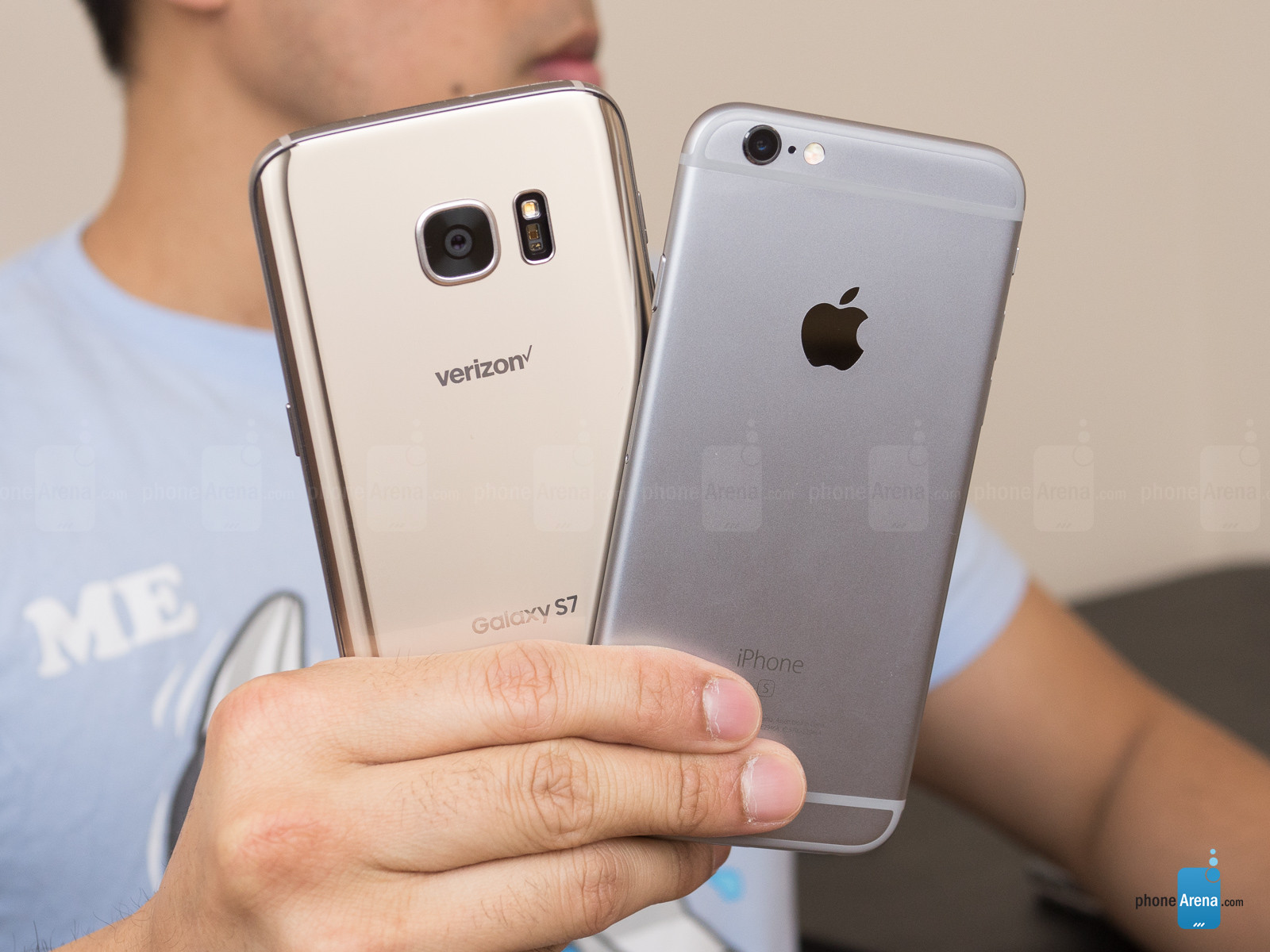
samsung-galaxy-s7-VS-iphone-6s

Samsung Galaxy S7 vs iPhone 6S: 

Is there a new flagship king?

iPhone 6S vs Galaxy S7: Apple vs Samsung battle it out for mobile domination


The Samsung Galaxy S7 is now on the market, heralding the next round in the ongoing Samsung vs Apple smartphone grudge match.
Now that our review is in, we can confirm that the Galaxy S7 is a serious contender for the top smartphone crown. It might pack a familiar design, but a faster CPU, improved battery, and a stunning-looking camera could well be giving Apple more cold sweats than the FBI.
Of course, it wasn't too long ago that Apple released its iPhone 6S flagship. Many saw that phone as one of Apple's best ever 'S' devices, so it's not like Samsung has the market all sown up right up until the launch of the iPhone 7.
Here's a step-by-step breakdown of Samsung's new handset and how it stacks up against Apple's current iPhone.

SAMSUNG GALAXY S7 VS IPHONE 6S: DESIGN

Samsung Galaxy S7: 7.9mm thick, 152g, metal alloy, glass front and back, IP68 certified, Black/Gold
iPhone 6S: 7.1mm thick, 143g, Series 7000 anodised aluminium back, Space Gray/Silver/Gold/Rose Gold
The Galaxy S6 was the prettiest phone Samsung's ever made by quite some margin. It ditched the horrid plastic backs seen on past Galaxy phones, replacing them with a wonderfully luxurious mix of glass and metal. The design made the Galaxy S6 look and feel premium.
However, its design still didn't completely beat Apple's. While the iPhone 6S's design doesn't radically differ from its predecessor, the iPhone 6, it remains one of, if not the best put together phones on the market. true, it may not be as iconic as the iPhone 4 or iPhone 5, but it's a much more pleasant phone to use day-to-day.
It's curvier and somehow warmer than previous iPhones. What's more, with Apple's use of Series 7000 aluminium, it's also tougher than before.

However, picking between it and the Galaxy S7 is tricky, as Samsung's made a number of small but important design changes to its latest flagship. The camera sensor bump is gone and Samsung's added a few millimetres to the thickness by adding a slight curvature to the back, reminiscent of the Galaxy Note 5.
This thickening is actually a considerable improvement, making it much more comfortable to hold and less prone to slipping out of your hand. It also means that the Galaxy S7 is a lot easier to pick up from a flat surface, which is an important attribute.
What's more, Samsung somehow managed to make the gorgeous looking Galaxy S7 IP68 certified. This means that, unlike the iPhone 6S, the Galaxy S7 can survive an accidental aquatic encounter unscathed. That this has been achieved with no external signs of 'ruggedisation' - flaps, a thicker display etc. - is impressive.
Samsung's design hasn't really gotten any prettier this year, then, but it has become a lot more practically sound. That's just as important as aesthetic considerations, if not more so, and it's enough to give the Galaxy S7 a win over the iPhone 6S in this area.

GALAXY S7 VS IPHONE 6S: DISPLAY

Samsung Galaxy S7: 5.1-inch Super AMOLED, 2,560 x 1,440, 577ppi
iPhone 6S: 4.7-inch IPS LCD, 1334 x 750, 326ppi, 3D Touch
The Samsung Galaxy S7's display is very similar indeed to the S6's. This means that once again it is radically sharper than the iPhone 6S's screen, and once again displays deeper blacks thanks to its Super AMOLED tech.
For those that don't know, AMOLED screens display deeper and richer blacks by electrically charging each individual pixel when generating colours, letting them create blacks simply by turning off the relevant pixels. LCD technology lights up all pixels, even when they're displaying black, making for a slightly washed out grey look. This means that the Galaxy S7, like the S6, has a more vibrant and sharp display than the iPhone 6S.
Of course, some will argue that AMOLED screens tend to be oversaturated, making films and pictures look false and other worldly. But Samsung, as always, offers a number of screen tone options so that you can attain a more naturalistic picture if you so wish.

That Galaxy S7 screen also has a cool new always-on feature. The feature is a low power screen mode that activates when the phone is put to sleep. It offers peek views of incoming notifications and alerts from certain services, meaning you can check who's messaged you without having to fully power up the display.
However, we felt that this always-on feature was a little half-baked, with limited functionality and poor app support. It's a nice idea, but it isn't truly useful yet.
The Galaxy S7's screen also doesn't feature a competitor to Apple’s 3D Touch tech. 3D Touch is a nifty feature that lets the iPhone's screen detect varying amounts of pressure. It can be used to enact a variety of tasks, like previewing emails and websites. For iPhone 6S owners familiar with 3D Touch, the lack of an equivalent feature on the Galaxy S7 could be a sticking point.

GALAXY S7 VS IPHONE 6S: PERFORMANCE

Samsung Galaxy S7: Exynos 8890 octa-core/Snapdragon 820 quad-core CPU, Adreno 530/Mali-T880 MP12 GPU, 4GB RAM
iPhone 6S: Apple A9 64-bit dual-core CPU, 2GB RAM
The Galaxy S7 is powered by Samsung's own Exynos 8890 processor in most territories, including here in the UK. Our US cousins get the more general, off-the-shelf (but still highly capable) Snapdragon 820.
Whichever chip you get, it will offer radically better performance than the Galaxy S6. Samsung claims that both will offer 30% better performance than the Galaxy S6's Exynos 7420 64-bit octa-core CPU. The phone's also got a memory upgrade, with Samsung having loaded the Galaxy S7 with a staggering 4GB of RAM.
Our own extensive hands-on time with the Galaxy S7 bears this performance boost out. Games in particular absolutely fly on this phone, whether it's the fast-paced 3D racing thrills of Asphalt or the detailed 2D puzzling of Lara Croft Go.
The iPhone, meanwhile, has the dual-core A9 chip and 2GB of RAM. That combo matched the S6, and even exceeded it in general usage, but Samsung holds the advantage - at least until the iPhone 7 arrives.
Our multicore CPU benchmark tests showed that the Galaxy S7 had a clear lead over the iPhone 6S for high-end tasks.

GALAXY S7 VS IPHONE 6S: CAMERA

Samsung Galaxy S7: 12-megapixel, phase detection, Dual Pixels, OIS, f/1.7 lens, 1/2.6" sensor, 1.4 µm pixel, 4K video, 5-megapixel front camera
iPhone 6S: 12-megapixel rear camera, f/2.2 aperture, dual LED flash, 4K video recording, 5-megapixel front camera
The iPhone 6S is no slow poke when it comes to snapping photos. The phone's automatic mode is one of the best we've seen on a smartphone and makes it quicker and easier to take great photos without having to get bogged down in complex settings.
It's only drawback is its lack of optical image stabilisation (OIS), a factor that, combined with its lower f/2.2 aperture meant it struggled to compete with the Galaxy S6 in low light.
The Galaxy S7 widens the gulf in that respect, employing a number of techniques to help boost its low light performance.
For starters Samsung's loaded the Galaxy S7 with a new 12-megapixel sensor - actually less than its predecessor - that's been designed to capture bigger pixels, and as a consequence more light.
The lens aperture has also been widened to f/1.7, meaning that much more light can physically enter the lens than with the iPhone 6S. Samsung claims the combination of factors mean the Galaxy S7 can capture 95 percent more light than its predecessor - which much equate to a whole heap more than the iPhone 6S.
Our own snaps seem to confirm this, with significantly better results in dark conditions for the Samsung phone.
But it's not just in low-light performance that the Galaxy S7 camera betters the iPhone 6S. It also has the best autofocus system we've ever seen in a smartphone. It's ridiculously quick and accurate.
The iPhone 6S camera remains one of the best in the business for general snaps in good lighting, in which the colour accuracy and general look is often preferable to the Galaxy S7 equivalent. But overall, the Galaxy S7 is the better photographic tool - especially when you factor in its handy home button shortcut and tweakable Pro mode.

GALAXY S7 VS IPHONE 6S: STORAGE

Samsung Galaxy S7: 32GB, microSD
iPhone 6S: 16GB / 64GB / 128GB
Samsung's only loaded the Galaxy S7 with 32GB of internal storage. By comparison the iPhone 6S is currently available with 16GB, 64GB or 128GB of internal space.
So, a win to the iPhone, right? Not quite.
While the additional options are nice, and we wish Samsung had followed suit and offered more, the entry-level Apple offering is pretty much hopeless. 16GB is completely inadequate for a modern flagship phone.
Also, unlike last year's Galaxy S6, the Galaxy S7 allows you to bolster its fixed storage with a microSD slot. Unfortunately, Samsung has shot itself in the foot somewhat by refusing to take up Google's Adoptable Storage facility.
This feature effectively turns any inserted microSD card as part of the core system storage. As it is, you can shift photos, files, and some apps to the microSD card on the Galaxy S7, but you're otherwise much more limited as to its usage.

GALAXY S7 VS IPHONE 6S: SOFTWARE

Samsung Galaxy S7: Android 6.0.1 Marshmallow, TouchWiz UI
iPhone 6S: iOS 9.3
Traditionally Samsung's insistence on loading Android smartphones with Touchwiz has been a key issue hampering their ability to compete with Apple iPhones.
As well as making Android's UI feel a little cluttered, the skin loaded past Galaxies with more bloatware than could easily be counted. What's more, the skin also radically delayed how quickly Samsung's phones could be upgraded to new versions of Android. This is because Samsung needs to tweak Touchwiz to work with Google's code with every new release.
To this day many Galaxy S6 smartphones have not been upgraded to Google's latest Android Marshmallow operating system.
Sadly (but predictably), Samsung doesn't seem to have learned its lesson with the Galaxy S7. It's better than before, but it still has TouchWiz and a stack of unnecessary extra apps. You still get two browsers and two music players, for example.
Some of Samsung's additions are quite nifty, such as the new Game Launcher that organises your games and lets you record footage of your exploits. But they're rarely essential additions to the core Android experience.
Say way you like about Apple's closed management of iOS, but it has let the company ensure device owners are always able to get software updates - so long as the iPhone, or iPad's hardware is able to run it. It also makes for a much cleaner, smoother, more consistent experience than Samsung can achieve with TouchWiz on the S7.
Samsung's managed to do great work fixing the bloatware issue on the Galaxy S7 and should be applauded for preloading it with Android Marshmallow. However, we're certain the upgrade issues will persist. From a pure software perspective, the iPhone 6S remains the better phone.

SAMSUNG GALAXY S7 VS IPHONE 6S: PRICING

Samsung Galaxy S7: £569
iPhone 6S: £539 - £699
At first glance, it looks like the iPhone 6S is cheaper than the Samsung Galaxy S7, which plays against expectations somewhat. Prices for Apple's phone start from £539, while Samsung's latest will start from £569.


Samsung Galaxy S7 Edge 32GB Black 


Look a little closer, though, and you'll see that the entry-level iPhone 6S in question comes with a piddly 16GB of storage. Combined with a lack of expansion potential, it's a bit of a lame duck. Samsung starts off with a much more reasonable 32GB of storage, not to mention a microSD slot of expansion.
The next phone up in the iPhone 6S range comes with 64GB of storage, and that costs a hefty £619.


Apple iPhone 6s 16GB Rose Gold 


Of course, at least Apple provides you with such fixed storage options, as we've mentioned above. But you'll pay a hefty premium for the top model at £699.

VERDICT

The Galaxy S7 is an absolute beast of a smartphone that aces the smartphone holy trinity of design, performance, and camera. As such, it's a more than worthy rival to the iPhone 6S.
Samsung's phone features a much better display, a generally more capable processor, twice the memory, and a better camera. We'd still take iOS over Samsung's fussy TouchWiz UI any day of the week, but in most other respects we'd have to give the nod to the Galaxy S7.
However, this isn't really a surprise. Apple's iPhone 6S is already over halfway through its lifecycle as a flagship smartphone. Samsung's real competition awaits six months down the line.
                                                                                              Abdellah SLAOUI